Last updated: November 05, 2026
In short: aging-in-place home systems work best when they reduce daily friction without creating a second job of app management, subscription fees, or complicated repairs. For many households, that means starting with safety and access systems first, then adding monitoring and comfort controls only where they solve a real problem. This guide to Aging in Place Home Systems — The Complete Guide focuses on the choices that matter most in real homes.
Key takeaways
- Start with the risks that cause the biggest losses: falls, missed medications, smoke or carbon monoxide exposure, and trouble reaching doors, lights, or bathrooms.
- A layered setup is usually the most practical approach: smart lighting, voice control, fall-risk upgrades, entry access, and remote alerts.
- A system is only “good” if the older adult can still use it during a power outage, Wi-Fi outage, or a phone battery failure.
- The wrong system is often the one that looks complete on paper but requires too many logins, too many app updates, or constant phone support.
- The best choice depends less on brand than on the person’s mobility, memory, vision, hearing, and willingness to use technology.
- For homes with serious fall risk, medication confusion, or wandering concerns, a professional assessment is worth the cost before buying hardware.
Aging in place home systems are the mix of devices, controls, and layout changes that let an older adult stay in a familiar home longer and with less risk. I write about home safety and accessibility systems with a bias toward what survives real life: power cuts, forgotten chargers, and people who do not want to learn a new app every Tuesday. For a broader public-health baseline, the National Institute on Aging and the CDC both emphasize home safety and fall prevention as first steps, not last steps.
What an aging-in-place system actually needs to do
An aging-in-place system should do four jobs: prevent falls, make help easy to reach, reduce routine strain, and keep the home usable if something goes wrong. Anything that does not support one of those jobs is a nice-to-have, not the core system.
The biggest mistake is shopping by gadget category instead of by daily task. A motion sensor may be clever, but if the person cannot safely get out of bed at night, the first fix is often lighting and path clearance, not more notifications. A smart lock may be useful, but if the bathroom lacks grab bars and the hallway has glare, the lock is solving the wrong problem.
A practical way to think about the system is in layers:
-
Movement and access
- Wider, clearer paths
- Better lighting
- No-trip flooring transitions
- Easier door hardware
- Entry without fumbling for keys
-
Safety and emergency response
- Smoke and carbon monoxide alarms that are audibly and, when needed, visually effective
- Medical alert response
- Fall detection or call-for-help options
- Stove shutoff or water-leak detection where risk is high
-
Daily support
- Voice control for lights, timers, calls, and reminders
- Medication reminders
- Thermostat control
- Simple TV and phone controls
-
Caregiver visibility
- Activity alerts
- Door alerts for wandering risk
- Remote check-ins
- Shared calendars and reminder systems
If you want one rule, use this: the system should still be usable with limited strength, limited vision, low patience, or temporary confusion. That is why a wall switch often beats a complicated touchscreen, and a physical emergency button still matters in a house full of “smart” devices. The NIA’s home safety guidance is a useful starting point, and the CDC’s fall-prevention resources help families prioritize hazards before they buy hardware.
Which home systems matter most first?
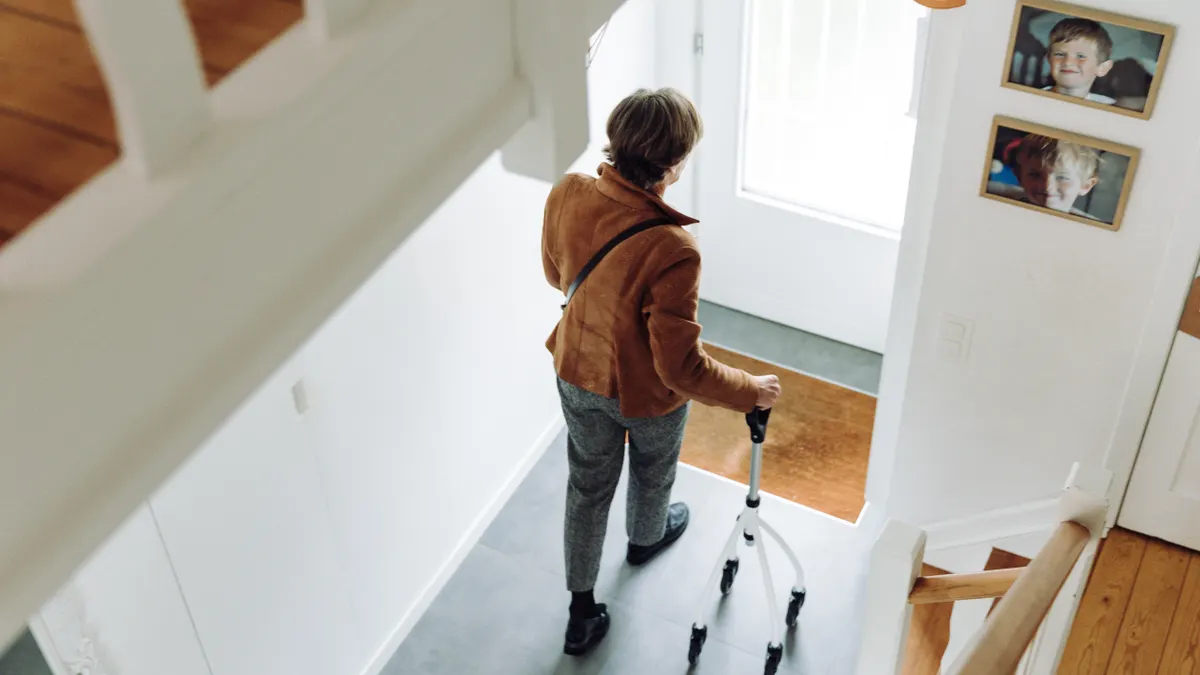
The first systems to install are lighting, entry access, bathroom safety, and emergency communication. Those four changes address the highest-friction, highest-consequence problems before you spend money on convenience gear. In most homes, this is where Aging in Place Home Systems create the fastest safety gains.
Lighting comes first because poor light turns every other risk into a worse one. The practical target is not “smart lighting” for its own sake; it is predictable light at the floor, stairs, bed, sink, and toilet. Motion-activated night lights can help, but only if they turn on fast enough and do not shine so brightly that they ruin night vision. In a hallway, a low-level plug-in light often beats a fancy app-controlled bulb because it works during internet outages and does not need a phone.
Entry access comes next. A keyed deadbolt can be a problem if grip strength is weak or memory is slipping. Lever handles are easier than round knobs. A smart lock with keypad or phone-based entry can help families who need remote access for caregivers, but it is wrong for someone who will forget codes or charge their phone irregularly. In that case, a simple keypad plus a physical backup key is often better than a full app ecosystem.
Bathroom safety deserves special attention because the room combines water, hard surfaces, and frequent transfers. Grab bars, a raised toilet seat, non-slip flooring, and a shower chair can prevent more trouble than any gadget. For many homes, the best “system” is not electronic at all. It is a well-lit route to the bathroom, a stable place to sit, and a clear way to call for help.
Emergency communication should be simple. A medical alert pendant or wrist button is still useful because it gives one action in one moment. That matters more than a phone app if the person falls, panics, or cannot reach a device across the room. Some systems now include automatic fall detection, but that feature is not magic. It can miss slow slides, seated collapses, or unusual body positions, so manual activation still matters.
A lot of generic advice gets this wrong by jumping straight to home assistants and voice control. Voice control is helpful, but it does not replace the basics. If the home is dangerous to move through, voice control is just a layer on top of an unsafe layout. For related planning, home accessibility upgrades and fall prevention should come before convenience features.
Smart home devices help, but only in the right order
Smart home devices win for comfort and day-to-day ease, but they should usually come after the home’s physical hazards are fixed. That is because a lamp you can turn on by voice is useful; a lamp that is connected to a bad electrical outlet or placed in a cluttered path is not the real fix.
The strongest case for smart devices is when they reduce repeated strain. Voice assistants can control lights, music, timers, reminders, and some calls without requiring a person to find a phone. Smart plugs can make small appliances easier to use. Smart thermostats can help maintain a stable indoor temperature without repeated manual adjustment. Smart doorbells and cameras can help family members see who is at the door without going outside.
Still, smart home systems carry trade-offs that matter more for older adults than for younger buyers:
- They depend on Wi-Fi and power. If the router fails or the internet drops, some features stop working.
- They can become confusing. Multiple apps and accounts are hard to manage, especially if family members share control.
- They can create privacy concerns. Cameras, microphones, and cloud storage raise legitimate questions.
- They can be hard to troubleshoot. A light that stops responding can become a daily nuisance if nobody knows whether the issue is the bulb, the app, the router, or the account login.
For many households, the right move is a small, stable stack: one voice assistant, a few smart lights, a smart plug for one high-use lamp, and perhaps one thermostat. That is enough to reduce effort without turning the home into a maintenance project. For people comparing options, a simple smart home starter kit may be more practical than a whole-house rollout.
This is also where a lot of sales pitches go off the rails. They try to sell “the whole smart home” as if every room needs automation. It does not. A bedroom, bathroom, kitchen, and front entry are the usual priorities. The rest can stay ordinary.
If the person has mild memory problems, smart reminders can help, but only if the prompts are simple and repeated in the same format. If confusion is progressing, a family should not rely on reminders alone. That is a medical and caregiving issue, not just a tech issue, so a clinician’s guidance matters. For caregiver coordination, shared calendars and reminder tools can help, but they are not a substitute for supervision.
The honest side-by-side: physical upgrades vs connected systems
Physical upgrades win for reliability and lower mental load. Connected systems win for convenience, remote monitoring, and caregiver support. The right answer is usually a blend, but the balance depends on the person using the home.
| Criteria | Physical upgrades | Connected systems | Winner for [condition] |
|---|---|---|---|
| Works during outages | Usually yes if it is non-electronic | Often limited by power, Wi-Fi, or batteries | Physical upgrades for outage-prone homes |
| Ease of daily use | Very high once installed | High only if setup is simple and stable | Physical upgrades for low-tech users |
| Remote caregiver oversight | Limited | Strong for alerts, cameras, and shared access | Connected systems for distant family support |
| Fall-risk reduction | Strong for grab bars, lighting, ramps, flooring | Moderate; useful for alerts, not prevention | Physical upgrades for mobility risk |
| Setup complexity | Lower for the user after installation | Higher because of apps, accounts, pairing, updates | Physical upgrades for users who hate tech |
| Ability to scale over time | Moderate; changes can mean construction | High; devices can be added in stages | Connected systems for evolving care needs |
| Privacy exposure | Low | Higher, especially with cameras and microphones | Physical upgrades for privacy-sensitive homes |
| Upfront labor | May require a contractor | Often quicker to install | Connected systems for renters or short timelines |
| Maintenance burden | Low for mechanical items | Ongoing battery, software, and login upkeep | Physical upgrades for low-maintenance households |
The table points to a practical rule: if the main problem is falls, body mechanics, or access, physical changes win. If the main problem is distance, monitoring, or reminders, connected systems win. Most homes need both, but not in equal amounts.
A house with a stair lift, grab bars, lever handles, and good lighting may need very little electronics. A house with an adult child living 500 miles away may need cameras, motion alerts, and shared door access. The danger is buying connected gear because it feels modern while leaving the bathroom and entryway unchanged. That is the wrong sequence.
Are medical alert systems worth it?
Yes, medical alert systems are worth it when a person lives alone, falls are plausible, or time to help matters more than dignity concerns about wearing a button. They are not the whole solution, but they are still one of the most direct ways to shorten the gap between an emergency and assistance.
The main strengths are simple. A pendant or wrist device gives one-touch help. Some systems include automatic fall detection, speakerphone communication, and caregiver alerts. For people with arthritis, balance problems, or a history of falls, that simplicity can matter more than anything else in the house.
The weaknesses are also simple. The device has to be worn. The battery has to be charged or replaced. Automatic detection is not perfect. If the person removes the device in the shower, forgets to wear it during a nap, or refuses it because it feels stigmatizing, the system fails at the exact time it is needed.
The right user profile is very specific:
- an older adult who lives alone or is alone for long stretches,
- someone with a fall history, dizziness, or gait instability,
- a person who can remember to wear a pendant or tolerate a wristband,
- a household that wants one emergency tool before adding a larger monitoring system.
Who should skip it? A person with severe cognitive impairment who removes wearables repeatedly may need a different approach, such as environmental modifications, supervised care, or a monitored care setting. A person who is never alone may also get less value from a standalone system than from a broader caregiver communication setup.
A useful detail many buyers miss: the device should be easy to hear and understand from the room where help is likely to be needed. Speaker volume, response clarity, and the comfort of the wearable matter more than marketing language. If the system is too annoying to wear, it will lose to human behavior every time.
Where smart lighting, sensors, and reminders actually shine
Smart lighting, sensors, and reminders are strongest when they solve a repeated problem that a person already notices every day. They are weakest when they are used to replace judgment, supervision, or a physical fix.
Smart lighting is best in bedrooms, hallways, stair landings, bathrooms, and entryways. The value is not novelty. It is that the light turns on without a search for a switch. A bedside motion light can make an overnight bathroom trip safer. A hallway light tied to motion can reduce the chance of a misstep after waking. If the home has stairs, light placement matters more than brightness alone. Shadows on steps are a real hazard.
Sensors help most when the family needs passive awareness. Door sensors can flag nighttime wandering. Motion sensors can show whether the kitchen has been used in the morning. Water sensors can catch a leak under a sink or near a washer before it becomes a bigger repair. These are not medical devices, but they can protect the home and give caregivers a clue that something changed.
Reminder systems can help with medication, hydration, appointments, and routine tasks like locking the door or turning off the stove. They work best when the message is short and repeated at the same time every day. They fail when they become too noisy, too frequent, or too clever. A reminder that requires five menu taps to dismiss is not a good reminder.
The weakest point in this category is overconfidence. A reminder does not mean the task got done. A motion sensor does not mean the person is safe. A smart bulb does not mean the room has been made accessible. These are support tools, not proof of safety.
For a person with early memory changes, one or two reminders can be helpful. For someone with more advanced cognitive decline, reminders alone are not enough. The system needs to move toward supervision, simplification, and environmental control. That is a hard truth, but a necessary one.
When a full home system is too much
A full home system is too much when the person still lives independently without meaningful fall risk, the home is already easy to handle, or the family cannot support basic maintenance. In those cases, a few targeted upgrades beat a sprawling setup every time.
There are three common signs that the project is oversold:
-
The problems are simple, but the solution is complicated.
If the main issue is a dark hallway, a motion light is enough. If the main issue is reaching a shelf, lower the shelf. There is no reason to install cameras because the lamp is inconvenient. -
The user will not tolerate the interface.
If the person refuses apps, forgets passwords, or dislikes voice assistants, a large connected system will become another source of stress. -
The household cannot maintain the system.
Batteries die. Firmware changes. Wi-Fi routers fail. Someone has to own that maintenance. If nobody will, simpler is safer.
A good aging-in-place plan should fit the least tech-comfortable person in the home, not the most enthusiastic family member. That sentence saves money and frustration.
It also helps to think in terms of triggers. Add more system complexity only when one of these is true:
- a fall has already happened,
- medication errors are becoming frequent,
- the person is starting to wander or leave doors open,
- the caregiver lives far away,
- the bathroom, stairs, or entry are objectively unsafe,
- hearing, vision, or dexterity has changed enough to make ordinary controls hard.
If none of those are happening, a lighter setup is usually the better call. A house does not need to become “smart” to become safer. In practice, the best Aging in Place Home Systems are often the simplest ones that close a real gap.
The verdict: which system to choose and why
Choose physical-first aging-in-place systems if the person’s biggest risk is falling, tripping, or struggling with daily movement. Choose connected systems if the biggest problem is remote monitoring, reminders, or helping a caregiver stay informed from far away. Neither if the house is being used as a substitute for needed medical care, supervision, or a more suitable living arrangement.
That is the cleanest recommendation I can make.
For most older adults, the best order is:
- lighting and path clearance,
- bathroom and stair safety,
- emergency help,
- then smart convenience and monitoring.
If the home is being prepared for a parent who is still cognitively sharp but physically slower, physical upgrades plus a simple alert system are usually enough. If the parent is alone much of the day and family lives out of town, connected devices become much more valuable.
The choice flips in three situations:
- High privacy concern: go lighter on cameras and microphones.
- High wandering risk or memory decline: use more monitoring, but do not confuse it with supervision.
- Renters or temporary plans: favor portable devices and plug-in solutions over remodeling.
The worst choice is a full-stack system built around a promise that technology will solve the entire problem. It will not. Good aging in place is a home design issue, a safety issue, and sometimes a care-planning issue. The home systems support that plan; they do not replace it. For a family comparing aging in place home systems, the most useful question is still the simplest one: what has to work every day, even when technology does not?
What should be installed before anything else?
The first installations should be grab bars, brighter route lighting, smoke and carbon monoxide alarms, and an easy way to call for help. Those four items cover the highest-consequence problems without turning the house into a gadget showroom.
The sequence matters. A family often starts with what feels modern, such as voice control or cameras, then discovers the person still cannot safely step into the tub. That is the wrong order. A tub transfer bench may be more useful than a doorbell camera. A stair rail may matter more than a smart thermostat. A night light may matter more than an automation hub.
If a contractor is involved, ask about code-compliant installation for grab bars, handrails, ramps, and widened clearances. If a medical alert system is being considered, make sure the person can wear it comfortably and understands what it does. If smart devices are being added, keep the number small enough that one family member can troubleshoot them without help from a second household.
The useful mindset is not “What technology can I buy?” It is “What task is failing, and what is the simplest tool that makes that task safer?” That shift keeps the budget focused and the home usable. It also keeps Aging in Place Home Systems grounded in the actual risks instead of the marketing claims.
What a generic aging-in-place article usually misses
Most generic articles miss three realities: maintenance, human behavior, and the difference between comfort and safety.
Maintenance is the hidden cost. Every battery, app, account, and sensor adds a task. If nobody is assigned to replace batteries or check connections, the system decays quietly.
Human behavior beats good intentions. If a pendant is annoying, it stays on the nightstand. If a voice assistant misunderstands commands, the user stops talking to it. If the system takes too long to respond, people stop trusting it.
Comfort is not safety. A warm room, a convenient app, and a stylish dashboard do not matter if the route to the bathroom is dim, the rug curls at the edge, or the stairs lack a rail.
There is also a common omission around professional help. Home safety for aging in place is not only a shopping list. An occupational therapist, aging-in-place specialist, contractor experienced with accessibility, or fall-prevention clinician can spot risks that a casual checklist misses. For health-related decisions, especially after falls or with memory loss, a clinician’s advice belongs in the process.
The best article on this topic should leave a reader with a plan, not a mood. Start with the body’s limitations, the home’s hazards, and the family’s ability to maintain the system. Then buy only what closes the gap.
Drafted with AI; not yet reviewed by a person.